How to Time Multiple Things at Once in the Kitchen
Cooking a full meal almost always means timing more than one thing at once — bread proofing, a roast in the oven, pasta water coming to a boil — and a single kitchen timer forces you to either juggle mental math or restart it for whatever's most urgent. Cronometro's timer is built to run several independent countdowns side by side instead.
Adding a timer for each task
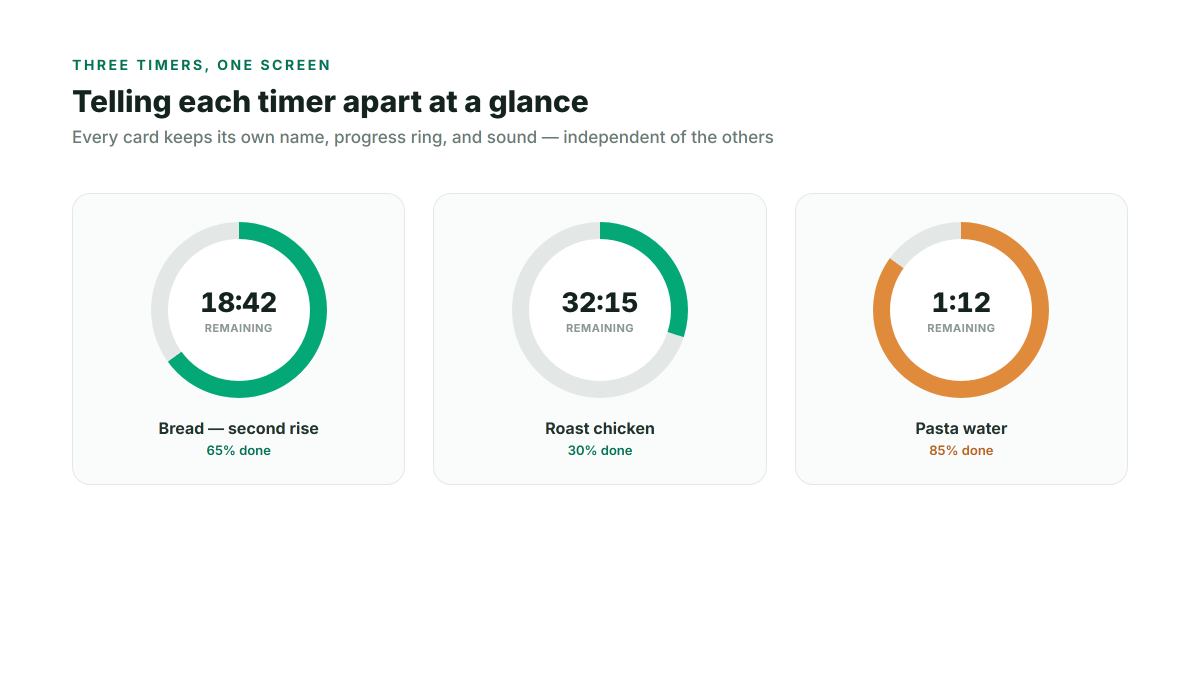
Set a duration, optionally give it a name ("Bread — second rise", "Roast chicken"), and click Start — it's added as its own card with a name, a progress ring, and its own sound. Add as many as you're actually juggling; each one counts down independently, so starting a second timer never resets or interrupts the first.
Telling them apart at a glance
Every timer card shows its own countdown and a circular progress ring that fills in as time passes, so from across the kitchen you can see roughly how far along each task is without reading the exact numbers. The name you gave it stays visible the whole time, which matters once you have three or four cards on screen at once.
Reusing your regular timings
If there are durations you set often, save them as named presets once, and starting that exact timer again next time is a single click instead of re-entering the hours/minutes/seconds fields. Presets remember the duration, title, sound, and how long the alert rings for.
- A 3-minute soft-boiled egg
- A 12-minute batch of cookies
- Any other timing you set often enough to want it one click away
Not missing the alert when you're not in the kitchen
You don't need to be standing over the timer for it to actually reach you:
- Browser notifications — one click on the bell icon gets you an alert even if you've stepped away to another room with the tab in the background.
- Picture-in-Picture — float any single timer in a small always-on-top window if you're doing something else on the same device and want the countdown visibly ticking in the corner rather than checking a tab.
A running log of what you've timed
Every finished timer is logged with its name, duration, and start/stop time in a small history table below — handy if you're testing a new bread recipe over several attempts and want to compare proof times, or just want to double check how long that last batch actually took in the oven.