How to Count Down to Holidays and Observances in Your Country
Counting down to a specific holiday usually starts with looking up the exact date — which shifts every year for some holidays, and varies by country for almost all of them. The countdown tool's built-in holiday list skips that lookup entirely.
Picking your country
The holiday panel includes data for 24 countries — choose yours from the dropdown and the list refreshes instantly to that country's public holidays and observances for the current year, already sorted by date, with no page reload.
Public holidays vs. observances
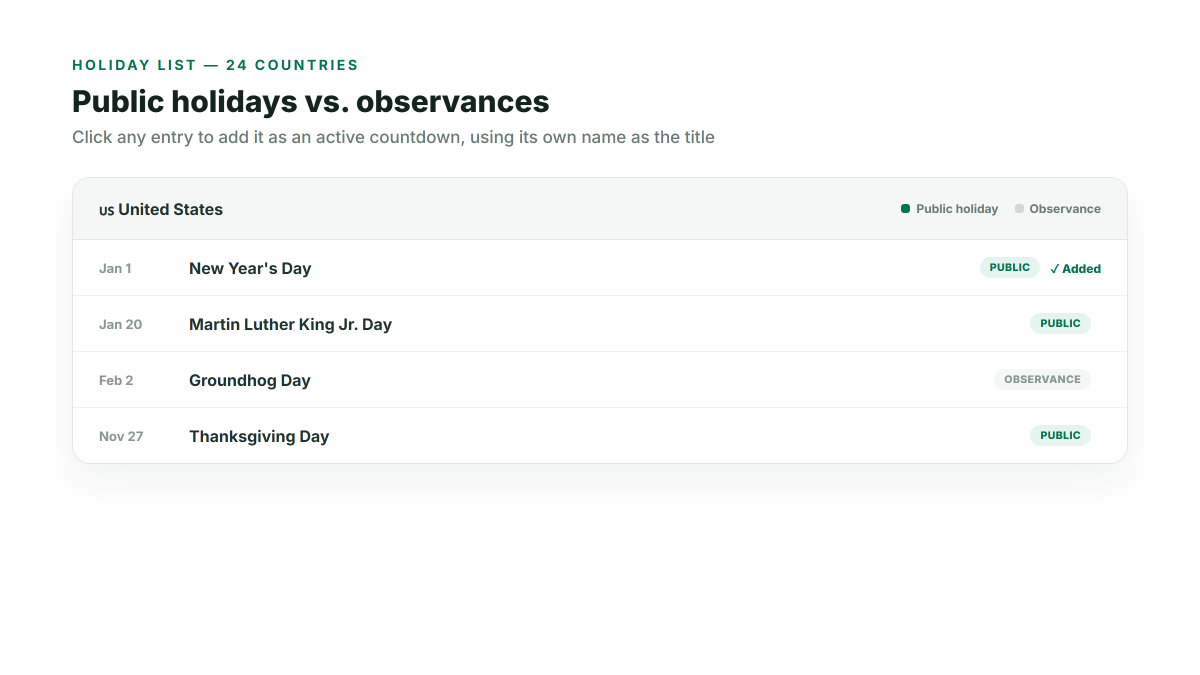
Two different markers separate the list: public holidays (statutory, non-working days) and observances (recognized but not necessarily days off, like a national remembrance day). Both are visually distinguished with their own color legend at the top of the panel, so you can tell at a glance which entries are which without reading each one individually.
Adding one to your countdown with a single click
Click any holiday in the list and it's immediately added as an active countdown, using the holiday's own name as the title — no re-typing a date or looking up when exactly it falls this year. Once added, a small badge marks it in the list so you can see which holidays you've already added without scrolling back through your countdown list to check.
Combining holidays with your own countdowns
Holiday countdowns behave exactly like any countdown you create manually — they can run alongside personal ones (a work deadline, a trip), and the soonest one across your entire list is always the one shown large as the main display. There's no separate "holiday mode"; it's the same countdown list either way.
If a date doesn't look right
Every holiday date is checked against this year automatically, but a small number of holidays (movable ones, calculated from a rule like "the fourth Thursday of November" rather than a fixed day) can occasionally be off by a few days in edge cases. If you spot one, double-check the date and set it manually with the regular date picker instead — your countdown works exactly the same way either way, and you can still name it and share it like any other.